

AI-Based Computer & Office Management Short Course in Sheikhupura
The modern computer course for the AI era. Move beyond outdated typing centers. Master Windows 11, Touch Typing (30–40 WPM), professional Word formatting, Advanced Excel analytics, executive PowerPoint design, and Microsoft 365 Copilot AI automation.
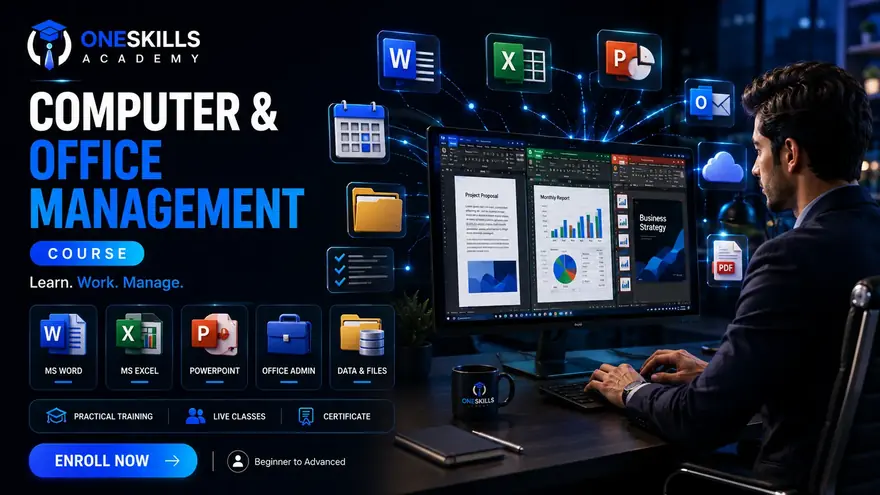
- Touch Typing certified speed: 30 to 40+ Words Per Minute
- Advanced Microsoft Excel 365: VLOOKUP, Pivot Tables & Payroll Modeling
- Microsoft Word document architecture & formal corporate letters
- Microsoft Copilot AI & ChatGPT office workflow automation
- Data Entry & Virtual Assistant freelancing on Fiverr & Upwork
Course Specifications
Traditional Typing Centers vs. Modern AI Office Skills
Employers in Sheikhupura and Lahore no longer look for simple typing. They require professionals who can automate office tasks and organize complex data.
Outdated Computer Centers (2010 Era)
Slow rote memorization on Windows 7 machines, basic manual typing without touch-typing methodology, shallow formula teaching, and zero exposure to modern cloud suites or AI productivity tools.
Next-Gen Office Management & AI Copilot
Touch Typing calibrated to 30–40 WPM, multi-tab automated Excel sheets with Pivot Tables & VLOOKUP, executive presentation decks with Canva & PowerPoint, Google Workspace collaboration, and Microsoft 365 Copilot AI prompts.
12 Weeks · 9 Office Modules
From basic PC anatomy to AI-automated corporate spreadsheet modeling.
Week 1
Computer Hardware Architecture, Windows 11 & System Maintenance
Computer Hardware Architecture, Windows 11 & System Maintenance
- PC architecture: understanding CPU, RAM, SSD/HDD storage, motherboards, BIOS settings, and clean Windows installation.
- Windows 11 navigation: file hierarchy, directory organization, zip archives, and cloud drive sync.
- Essential maintenance: antivirus protection, malware defense, disk cleanup, and troubleshooting driver errors.
Week 2
English & Urdu Touch Typing Mastery (30–40 WPM Benchmark)
English & Urdu Touch Typing Mastery (30–40 WPM Benchmark)
- Ergonomic posture, home row finger positioning (ASDF - JKL;), and blind touch-typing techniques without looking at the keyboard.
- Daily timed typing drills with instant accuracy metrics and error rate tracking.
- Urdu phonetic typing configuration in Windows 11 and InPage basics for local office documentation.
Weeks 3–4
Microsoft Word 365: Executive Document Design, Tables & Formal Letters
Microsoft Word 365: Executive Document Design, Tables & Formal Letters
- Paragraph formatting: line spacing, margins, tab stops, bullet styling, and heading styles (H1-H4).
- Advanced tables, borders, cell shading, headers, footers, page numbering, and automated Table of Contents.
- Mail Merge: generating 100+ personalized formal letters, certificates, and envelopes in one click.
Weeks 5–6
Microsoft Excel 365 Core: Formulas, Formatting & Data Validation
Microsoft Excel 365 Core: Formulas, Formatting & Data Validation
- Worksheet architecture: cells, ranges, relative vs absolute referencing ($A$1 absolute references).
- Core mathematical and logical formulas: SUM, AVERAGE, COUNT, COUNTA, IF, AND, OR.
- Conditional formatting, data validation dropdown lists, sorting, and multi-level data filtering.
Weeks 7–8
Advanced Excel Analytics: VLOOKUP, XLOOKUP, Pivot Tables & Charts
Advanced Excel Analytics: VLOOKUP, XLOOKUP, Pivot Tables & Charts
- Lookup functions: mastering VLOOKUP, HLOOKUP, XLOOKUP, and INDEX/MATCH across multiple worksheets.
- Pivot Tables and Pivot Charts: summarizing thousands of raw records into executive visual reports in seconds.
- Building interactive dashboards with slicers, timeline filters, and automated summary KPIs.
Week 9
Microsoft PowerPoint 365 & Canva: Executive Presentations
Microsoft PowerPoint 365 & Canva: Executive Presentations
- Presentation slide design: visual hierarchy, color palettes, infographics, and typography rules.
- Master Slides (Slide Master), custom layouts, seamless slide transitions, and subtle object animations.
- AI Slide Deck creation with Gamma.app and Microsoft 365 Copilot for automated visual presentations.
- Exporting slide decks to interactive PDFs, video walkthroughs, and executive handouts.
Week 10
Cloud Collaboration: Google Workspace, Drive & Email Etiquette
Cloud Collaboration: Google Workspace, Drive & Email Etiquette
- Google Drive: file permissions, sharing links, version history, and real-time document co-authoring.
- Professional email etiquette: formatting subject lines, CC/BCC protocols, professional signatures, and attachments.
- Google Forms & Sheets: creating online surveys, customer feedback forms, and automatic responses.
Week 11
Office Automation with Microsoft Copilot AI & ChatGPT
Office Automation with Microsoft Copilot AI & ChatGPT
- Microsoft 365 Copilot: generating instant Word report drafts, formatting presentations, and summarizing documents.
- Using ChatGPT for complex Excel formulas: describing what you want and letting AI write the exact nested formula.
- Automated meeting notes, translation, email drafting, and PDF document summarization.
Week 12
Online Data Entry, Virtual Assistant Freelancing & Final Exam
Online Data Entry, Virtual Assistant Freelancing & Final Exam
- Setting up basic Fiverr gigs for Data Entry, Excel Formatting, PDF to Word conversion, and Virtual Assistant tasks.
- CV and resume building in Microsoft Word, interview preparation for local office clerk jobs in Sheikhupura.
- Final evaluation exam: live typing speed test, advanced Excel task, and certificate distribution.
Physical Lab Studio & Personal Laptop Format
Learn on your own machine so your Office templates and custom software remain ready for daily use.
Campus Amenities in Sheikhupura
- Generator Power Backup: Uninterrupted electricity during local load-shedding
- High-Speed Fiber Internet: Fast cloud syncing with Google Drive & Office 365
- Air-Conditioned Classroom Studio: Comfortable, distraction-free environment
- HD Presentation Display: Clear live projection of mentor formula walkthroughs

Led by Experienced Technology Mentors

Asghar Ali and the OneSkills computer faculty are passionate about bringing genuine practical digital literacy to youth and job seekers in Sheikhupura. We don't believe in boring theoretical lectures: every single class is dedicated to hands-on typing practice, spreadsheet formula building, and professional document presentation.

Built on practical learning.
Proven by student experiences.
See what students have shared about their learning experience, mentorship and time at OneSkills Academy.
“My experience with One Skill Academy has been truly excellent. The teaching methodology here is well-structured, and every concept is explained in a way that makes even complex topics easy to understand.”
Real reviews from our students on Google Maps.
View All Reviews on GoogleTuition Fee, Payment Options & Batch Schedules
Affordable tuition for beginners, with a one-time fee and a 14-day full refund guarantee.
| Full fee | PKR 15,000 (one-time, no installments) |
|---|---|
| Installments | Full payment only |
| Batch days | Saturday & Sunday |
| Class times | Morning 10:00 AM–12:30 PM, Evening 3:00 PM–5:00 PM |
| Mode | On campus, bring your own laptop |
Instant Free Demo Reservation
Fill your details below to generate a pre-formatted WhatsApp pass to attend the next practical class demo on campus.
Easy Transit for Students Across Sheikhupura District
Located on Main Lahore – Sargodha Road opposite Mian Hospital, near KIPS College. Direct highway transport stops right at the entrance.
Sheikhupura City, Housing Colony, Civil Lines & Batti Chowk
Located directly on Main Lahore – Sargodha Road (Opposite Mian Hospital, near KIPS College). Morning and evening batches available: Saturday & Sunday.
Common Questions About the Computer Course
Is this course suitable for beginners with zero computer background?
Yes. This course is specifically designed for Matric and Intermediate graduates, school students, and office job seekers who are starting from scratch. We teach everything from mouse handling, keyboard touch typing, and Windows 11 file management to advanced spreadsheet formulas.
How does OneSkills' computer course differ from traditional 2010 typing institutes?
Traditional institutes still teach outdated Windows 7 and basic typing on obsolete hardware. OneSkills modernizes your skillset with Windows 11, Microsoft 365 Copilot AI, advanced Excel analytics (VLOOKUP, XLOOKUP, Pivot Tables), professional Canva presentations, and cloud collaboration tools required by modern employers.
Do I need to bring my own laptop to class?
Yes. Students must bring their own laptops. OneSkills Academy does not provide dedicated individual computers. Practicing on your personal machine ensures your typing software, Microsoft Office suite, and custom templates remain configured permanently for home use.
Will I receive a course completion certificate?
Yes. Upon completing the 12-week course and passing the practical typing and office project evaluations, students receive a verified Certificate of Completion recognized for corporate and private office employment.
Can this course help me earn through online data entry freelancing?
Yes. Module 9 specifically covers online freelance micro-skills: data entry, Excel data cleaning, PDF to Word conversion, and virtual assistant tasks on Fiverr and Upwork, providing immediate earning potential.
What is the tuition fee and refund policy?
Tuition is PKR 15,000 for the complete 12-week program. Students may request a full refund within 14 calendar days of their fee payment date.
Where is the campus located in Sheikhupura and how do I book a demo?
Our campus is located at Lahore – Sargodha Road, Opposite Mian Hospital, Near KIPS College, Sheikhupura. You can reserve a free demo seat by messaging our admissions desk on WhatsApp at +92 317 603 6127.
Upgrade to Modern AI Office Productivity
Join our next on-campus computer batch in Sheikhupura. Learn Touch Typing, Advanced Excel, professional business writing, and AI automation.