
Skip to content
#1 Digital Skills Academy in Sheikhupura – OneSkills#1 Digital Skills Academy in Sheikhupura – OneSkills
  • Home
  • All Courses
  • All Instructors
  • Pages
    • Blog
    • About Us
    • Contact Us
#1 Digital Skills Academy in Sheikhupura – OneSkills#1 Digital Skills Academy in Sheikhupura – OneSkills
  • Home
  • All Courses
  • All Instructors
  • Pages
    • Blog
    • About Us
    • Contact Us
  • Home
  • Course
  • AI Based Computer Course in Sheikhupura

AI Based Computer Course in Sheikhupura

  • By Oneskills
  • AI Based Computer Course
  • (0 Rating)
Breadcrumb Abstract Shape
  • Course Info
  • Instructor
  • Reviews
  • More
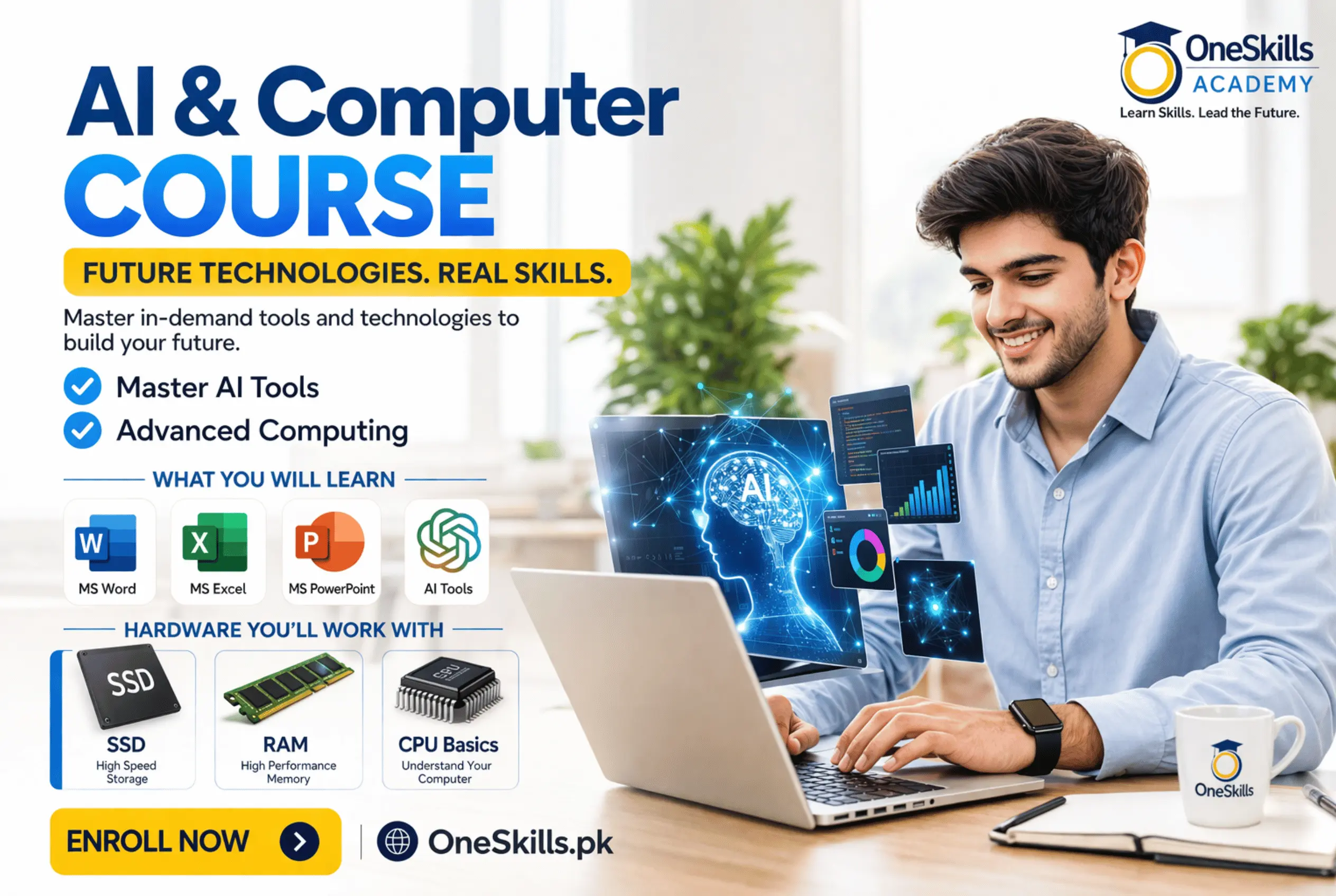
    • Looking for the best AI & Modern computer course in Sheikhupura? OneSkills Academy offers the most complete and modern computer training in Sheikhupura — where you master everything from switching on a computer to using ChatGPT, Claude and Gemini like a professional. This is the only course in Sheikhupura that teaches traditional computer fundamentals AND artificial intelligence tools together in one 3-month weekend program.

      Led by Asghar Ali, senior Trainer at OneSkills Academy with 5+ years of hands-on experience, this AI Based Computer Course is built for complete beginners, school students (Grade 6–10), housewives, office workers and job seekers — anyone who wants to be confident, productive and AI-ready in 2026.

      Course Details at a Glance

      • Location: OneSkills.pk — Opp. Mian Hospital, Near KIPS College, Sheikhupura, Punjab, Pakistan
      • Duration: 3 months — 12 weekends of practical, project-based training
      • Schedule: Saturday + Sunday only — 1.5 to 3 hours per class
      • Batches: Morning 11:00 AM–1:00 PM (Weekend Classes)
      • Language: Urdu + English — fully bilingual instruction
      • Instructor: Asghar Ali — Senior Trainer at OneSkills
      • Course Fee: PKR 15,000 
      • Guarantee: 2-week money-back — no questions asked

      What You Will Learn in This AI Computer Course

      Module 1 — Computer Hardware and Fundamentals

      Understand every part of a computer — CPU, RAM, HDD, SSD, GPU, motherboard — with hands-on identification. Learn BIOS settings, disk management, Windows installation from scratch, driver installation and system maintenance. Use AI to diagnose hardware problems and compare specifications.

      Module 2 — Operating System Mastery (Windows)

      Master the Windows desktop, file management, system settings, user accounts, Task Manager and troubleshooting. Learn to fix common errors — including Blue Screen of Death — using AI chat support in real time.

      Module 3 — Typing Skills and Keyboard Mastery

      Build touch typing speed to 30+ WPM in English and Urdu. Master 50 essential Windows and Office keyboard shortcuts that triple your productivity. Practice daily on TypingClub and Keybr.

      Module 4 — Microsoft Word with AI Writing Tools

      Create professional documents — CVs, letters, reports, invoices, certificates — using every Word feature from basic formatting to mail merge. Then use ChatGPT and Microsoft Copilot to write the same documents in a fraction of the time.

      Module 5 — Microsoft Excel with AI Data Tools

      Build spreadsheets, use formulas (SUM, IF, VLOOKUP, XLOOKUP), create pivot tables and charts, and manage business data. Use AI to generate complex formulas in plain language — describe what you need, get the formula instantly.

      Module 6 — Microsoft PowerPoint with AI Slide Generators

      Build professional presentations from scratch, add animations, transitions and SmartArt. Then use Gamma.app and Canva AI to generate a complete 15-slide presentation from a single sentence prompt.

      Module 7 — Internet, Email and Digital Communication

      Master Google Search, Chrome browser, safe downloading, browser extensions, Gmail, professional email writing in Urdu and English, Google Drive, OneDrive and online safety. Use AI tools to write emails, summarize content and automate communication.

      Module 8 — Modern AI Tools Complete Masterclass (16 Lessons)

      The most comprehensive AI tools training available in Sheikhupura. Learn ChatGPT, Claude, Google Gemini, Grok and Perplexity from scratch. Master prompt engineering, AI image generation, AI video tools, translation, research, summarizing, automation with Zapier, and using AI as a personal tutor. Includes full coverage of Microsoft Copilot across all Office apps.

      Module 9 — Freelancing Introduction and Online Earning

      Discover how to earn online using the skills from this course. Learn Fiverr, Upwork and Freelancer.pk. Create your first gig offering MS Office and AI services. Set up a Payoneer account and publish a live portfolio.

      Why This Course is Different from Every Computer Course in Sheikhupura

      Standard computer courses in Sheikhupura still teach the same MS Office curriculum from 2010. OneSkills teaches the same foundational skills but adds a complete AI integration layer on top of every single module — students use ChatGPT to write Word documents, Gemini to generate Excel formulas, Claude to summarize emails, and AI slide generators to build presentations in minutes.

      The weekend-only schedule (Saturday + Sunday) means school students, working professionals, housewives and job seekers can all attend without disrupting their weekday lives.

      Free Bonuses Included — Worth PKR 8,000+

      • 200+ AI Prompt Library for MS Office and daily productivity tasks
      • 50+ professional MS Office templates — CVs, invoices, reports, letters, presentations
      • Top 20 Chrome Extensions guide with step-by-step setup
      • 30 professional email templates in Urdu and English
      • Keyboard shortcuts cheat sheet — printable A4 poster
      • Lifetime alumni community access and free course updates
      • After-class WhatsApp support with the trainer

      Who Should Join This Course

      This beginner computer course in Sheikhupura is perfect for anyone in Sheikhupura, Muridke, Farooqabad, Safdarabad, Ferozewala and surrounding areas of Punjab who wants to become confident and productive with computers and AI tools.

      • Complete beginners who have never used a computer or feel left behind digitally
      • School students (Grade 6–10) who want practical skills beyond their textbook
      • Housewives wanting to earn online or manage home tasks digitally
      • Office workers who use computers daily but lack AI and advanced Office skills
      • Job seekers who want to add computer and AI skills to their CV immediately

      Requirements to Join

      • A laptop or desktop computer — minimum requirement for this course
      • Basic ability to browse the internet (even if very basic)
      • No prior computer knowledge needed — we start from absolute zero
      • A smartphone is helpful for AI apps but a computer is required for class

      Enroll in AI Based Computer Course at OneSkills Sheikhupura

      Seats are limited for each weekend batch. Enroll today at PKR 15,000. Contact us via WhatsApp at +92 317 603 6127 or visit OneSkills.pk — Opp. Mian Hospital, Near KIPS College, Sheikhupura. 2-week money-back guarantee on all packages — your enrollment is 100% risk-free.

      Professional Certificate of Completion awarded to all graduates. Reply YES on WhatsApp to enroll or request a free demo class.

      Show More
      What Will You Learn?
      • Set up, configure and troubleshoot a computer from scratch including BIOS, disk management and Windows installation
      • Master touch typing in English and Urdu — 30+ WPM with professional keyboard shortcuts
      • Create professional documents in MS Word — CVs, reports, letters, invoices — with AI writing assistance
      • Build spreadsheets, use formulas and create charts in MS Excel with AI formula generation
      • Design professional presentations in MS PowerPoint using AI slide generators like Gamma.app
      • Browse the internet safely, use search engines effectively and manage Chrome extensions
      • Handle professional email in Gmail — writing, organizing, automating and using AI to compose
      • Use ChatGPT, Claude, Google Gemini and Grok — from first chat to expert-level prompt engineering
      • Apply AI tools inside MS Word, Excel, PowerPoint and Outlook using Microsoft Copilot
      • Generate images, videos and creative content using AI tools like DALL-E 3 and Canva AI
      • Summarize long documents, PDFs and emails in seconds using AI
      • Automate repetitive tasks using Zapier and AI workflow tools
      • Store, share and collaborate on files using Google Drive and OneDrive
      • Stay safe online — passwords, two-factor authentication, phishing and cybersecurity basics
      • Earn online using MS Office and AI skills — Fiverr gigs, virtual assistant work
      • Build a simple online portfolio to showcase your skills to employers and clients
      • Translate documents between Urdu and English instantly using AI tools
      • Use AI as a personal study tutor — quiz generator, concept explainer, study planner
      • Understand AI ethics, limitations and how to verify AI-generated information
      • Install and manage useful Chrome extensions that multiply your productivity daily

      Material Includes

      • 200+ AI Prompt Library for MS Office and daily productivity
      • 50+ professional MS Office templates — CVs, invoices, reports, letters, presentations
      • Keyboard shortcuts cheat sheet and class notes PDF for every module
      • AI tools quick-start cards for ChatGPT, Claude, Gemini and Grok
      • 30 professional Urdu + English email templates for every situation
      • Lifetime alumni community access and free course updates forever
      • After-class WhatsApp support directly with the trainer
      • Professional Certificate of Completion — printed and signed

      Requirements

      • A laptop or desktop computer — mandatory for class participation
      • A smartphone is useful for AI apps but is not sufficient as a replacement for a computer
      • Basic ability to use the internet — even at a very beginner level is fine
      • No prior MS Office experience needed — we start from the very first click
      • No AI or technology background needed — complete beginners are welcome
      • Willingness to practice for 30 minutes at home after each weekend class
      • A notebook for writing tips and shortcut keys during class

      Audience

      • Complete beginners — no computer experience needed, we start from zero
      • School students (Grade 6–10) wanting practical skills beyond their textbook syllabus
      • Housewives and home learners who want digital skills for earning or daily productivity
      • Office workers and job seekers who need AI tools and advanced MS Office on their CV
      • Anyone who wants to master ChatGPT, Claude and Gemini for work, study or freelancing

      Course Content

      Computer Fundamentals & Hardware Mastery

      • Introduction to Computers — What, Why & How
      • Computer Hardware Deep Dive
      • Software vs Hardware — The Full Picture
      • BIOS Settings & Configuration
      • Disk Management — Partitions & Storage
      • Windows Installation — Step by Step
      • Drivers — Installing & Updating
      • System Maintenance & Health Check
      • Data Backup & Recovery
      • Practical: Full PC Setup from Scratch

      Operating System Mastery

      • Windows Desktop Mastery
      • File Management — Folders, Files & Organization
      • Windows Settings — Full Control
      • User Accounts & Permissions
      • Windows Troubleshooting
      • Task Scheduler & Automation
      • Control Panel & Advanced Settings
      • Practical: OS Problem Clinic

      Typing Skills & Keyboard Mastery

      • Touch typing — finger placement, home row, all keys — practice on TypingClub and Keybr
      • Speed building — target 30–40 WPM minimum before moving forward
      • Urdu typing — Phonetic keyboard layout, InPage basics, typing Urdu in MS Word
      • Keyboard shortcuts mastery — 50 essential shortcuts in Windows + Office — productivity 3x

      Microsoft Word + AI Writing Tools

      • Word Interface & Document Creation
      • Text Formatting — Professional Typography
      • Styles & Headings — Structured Documents
      • Tables in Word
      • Images, Shapes & SmartArt
      • Page Layout & Printing
      • Mail Merge — Bulk Documents
      • Track Changes & Comments
      • Advanced Formatting — Professional CVs
      • Templates & Automation in Word
      • Word for Urdu Documents
      • Practical: Create 5 Professional Documents

      Microsoft Excel + AI Data Tools

      • Excel Interface & Workbook Basics
      • Formatting Data — Professional Spreadsheets
      • Essential Formulas — SUM, AVERAGE, IF
      • Lookup Functions — VLOOKUP & XLOOKUP
      • Text Functions & Data Cleaning
      • Charts & Data Visualization
      • Pivot Tables — Data Analysis
      • Excel for Budget & Finance
      • Excel for Business — Invoices & Reports
      • Data Validation & Protection
      • Excel + Power BI Introduction
      • Practical: Build 3 Complete Spreadsheets

      Microsoft PowerPoint + AI Presentation Tools

      • PowerPoint interface, slide layouts, themes, master slides — building a presentation from scratch
      • Text, images, charts, SmartArt — making slides professional, not amateur
      • Animations and transitions — when to use them and when not to
      • Presenter mode, speaker notes, exporting to PDF — delivering a presentation professionally
      • AI Slide Generators — Beautiful.ai, Canva AI, Gamma.app — full presentation in 2 minutes
      • Practical — Build a 15-slide professional course presentation using AI + PowerPoint together

      Internet, Email & Digital Communication

      • Internet Fundamentals — How It Works
      • Search Engines — Finding Anything Fast
      • Browser Mastery — Chrome Deep Dive
      • Browser Extensions — Power User Setup
      • Safe Downloading — Files, Software, Media
      • Email — Creating & Professional Use
      • Email Management — Organization & Filters
      • Professional Email Writing in Urdu & English
      • Cloud Storage — Google Drive & OneDrive
      • Online Safety & Cybersecurity Basics

      Modern AI Tools Complete Masterclass

      • Intro to AI — What Are LLMs?
      • ChatGPT — Complete Mastery
      • Claude AI (Anthropic)
      • Google Gemini — Google’s AI
      • Grok (xAI) & Other LLMs
      • Prompt Engineering Basics
      • AI for Writing & Content
      • AI for Research & Summarizing
      • AI Image Generation
      • AI in Microsoft Office
      • AI Video Tools — Basics
      • AI for Translation & Language
      • AI Automation — Zapier & Make.com Intro
      • AI for Learning — Study Smarter
      • AI Safety, Ethics & Limitations
      • Capstone: Full AI Productivity Day

      Freelancing Intro & Digital Earning Foundations

      • What is freelancing? How Pakistanis earn in USD from a laptop — real examples and income figures
      • Platforms overview — Fiverr, Upwork, Freelancer.pk, Rozee.pk — which suits which skill
      • Services you can offer with just MS Office + AI skills — data entry, document formatting, CV writing, translation, virtual assistant
      • Creating your Fiverr profile — gig setup for MS Office and AI services
      • AI tools for freelancers — writing proposals, gig descriptions, responding to buyers with AI
      • Online payment accounts — Payoneer, Easypaisa, JazzCash — receiving money as a freelancer
      • Building a simple portfolio — Google Sites, Canva portfolio page — no coding needed
      • Practical — Publish a live Fiverr gig offering a computer-skills-based service

      Tags

      • AI
      • AI Tools
      • Artificial Intelligence
      • computer course

      A course by

      O
      Oneskills

      Student Ratings & Reviews

      No Review Yet
      No Review Yet

      Course Includes:

      • Price:Free
      • Instructor:Oneskills
      • Duration: 48 hours
      • Lessons:86
      • Students:0
      • Level:All Levels
      Start Learning
      Wishlist

      Share On:

      OneSkills Logo dark

      Learn real skills that help you earn through AI, Trading & digital technologies.

      Opp. Mian Hospital, Near KIPS College, Sheikhupura

      +92 317 603 6127

      [email protected]

      Menu

      • Home
      • Dashboard
      • Blog
      • About Us
      • All Instructors
      • Cart

      Services

      • Home
      • All Courses
      • All Instructors
      • Pages

      Contacts

      Enter your email address to register to our newsletter subscription

      Icon-facebook Icon-linkedin2 Icon-instagram Icon-twitter Icon-youtube Whatsapp
      © 2026 OneSkills.pk | Learn Skills. Earn Online.

      Powered by OneSkills.pk

      #1 Digital Skills Academy in Sheikhupura – OneSkills#1 Digital Skills Academy in Sheikhupura – OneSkills
      Sign inSign up

      Sign in

      Don’t have an account? Sign up
      Lost your password?

      Sign up

      Already have an account? Sign in
      Hi, Welcome back!
      Forgot Password?
      Don't have an account?  Register Now